WordPress User Roles and What They Can Do
WordPress uses different user roles to control what each person can access and manage on a website. Each role has specific rights, called “capabilities,” that determine what the user is allowed to do. Assigning the right role helps keep the site organized and secure.
Administrator
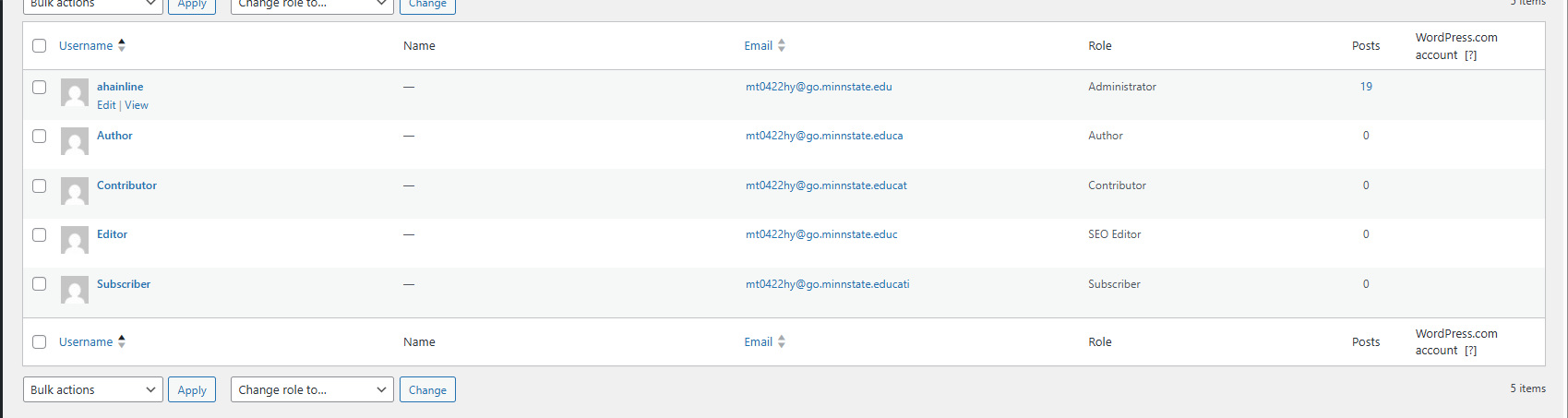
The Administrator has full control over the entire website. They can install and update plugins, change themes, edit all pages and posts, manage settings, and create or delete any user accounts. This role has the highest level of access and is usually only given to the site owner or main developer.
Editor
Editors are in charge of managing content. They can create, edit, publish, and delete any post or page on the site, even ones written by other users. Editors can also moderate comments, manage categories and tags, and handle media files. However, they cannot install plugins or change site settings.
Author
Authors can write, edit, publish, and delete their own posts. They can upload media files as well. They cannot edit pages or other users’ posts, and they cannot access site-wide settings. This role is best for regular writers who only need to manage their own content.
Contributor
Contributors can write and edit their own posts, but they cannot publish them. Instead, they must submit their posts for review by an Editor or Administrator. Contributors also cannot upload images or media files. This role is useful for guest writers or new team members who are still being supervised.
Subscriber (or Follower)
Subscribers have the lowest level of access. They can log in and manage their profile, but they cannot write posts or make changes to the site. This role is commonly used for readers who want to follow the site, comment, or access content meant only for logged-in users.
Why User Roles Matter
Using the correct user roles keeps a WordPress site secure, prevents accidental changes, and makes it easier to manage content. Giving everyone full Administrator access can create security risks, so assigning permissions based on what each person needs to do is the safest and most effective approach.